
Cut List Optimizer · iPhone and iPad
Ripcut
Know how many sheets and boards to buy before you go to the lumberyard.
For anyone building cabinets, bookcases, shop furniture or any project from plywood, MDF or dimensional lumber.
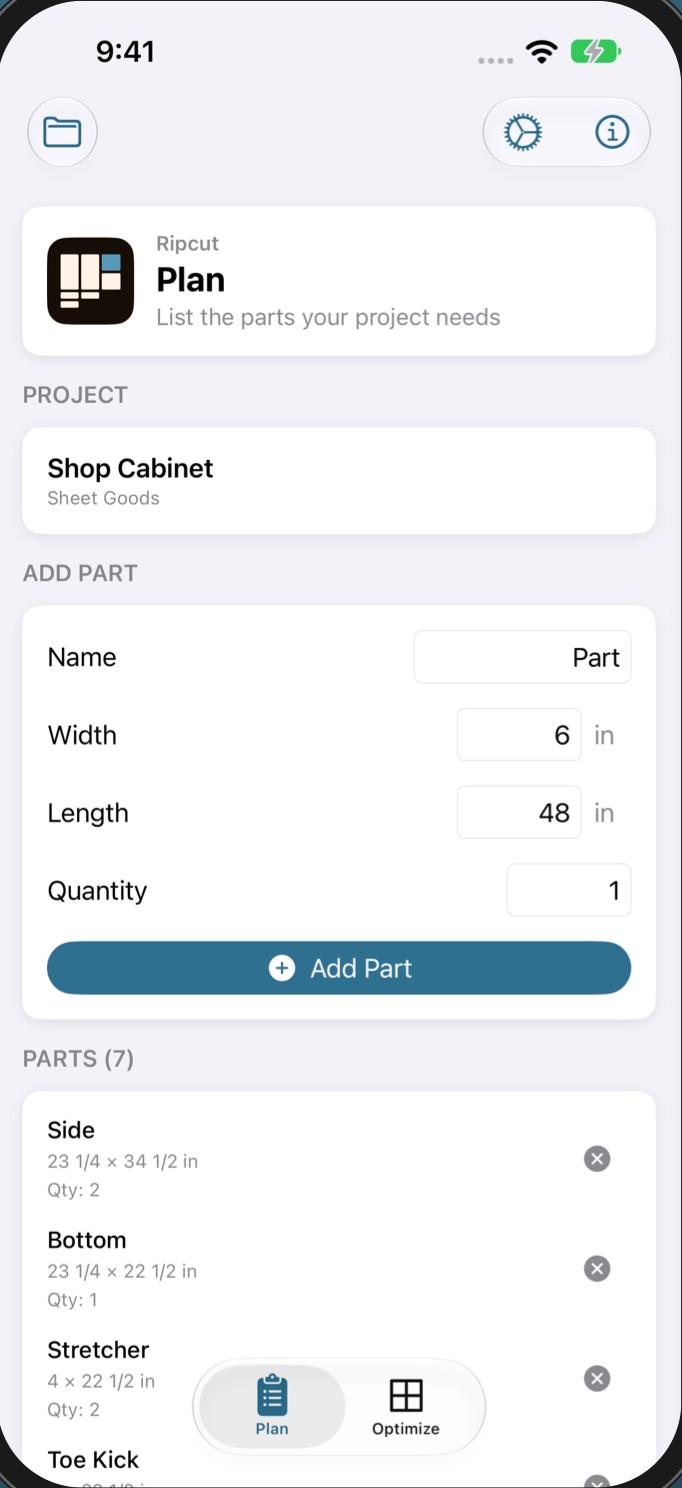
List your parts
Fractions or decimals, imperial or metric
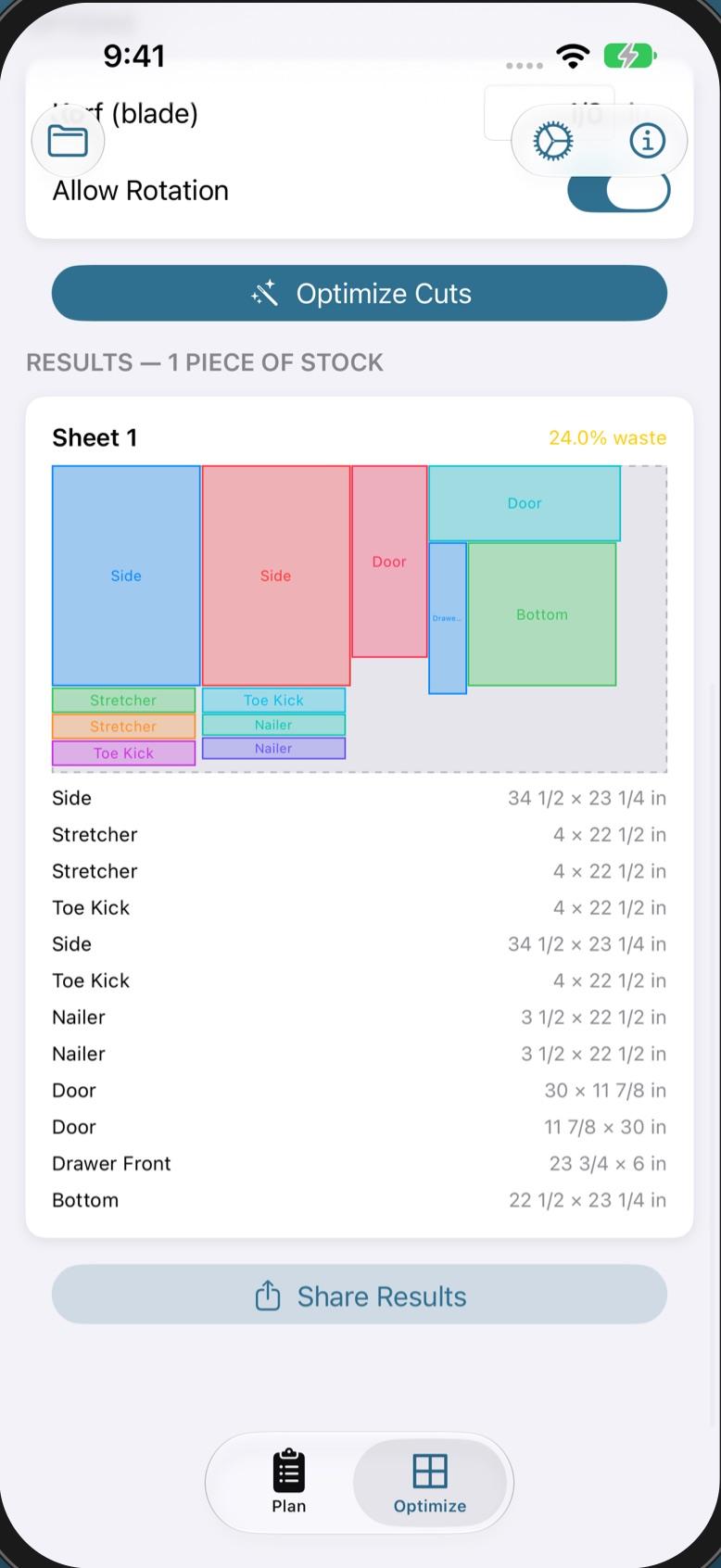
See where every cut goes
Sheet layouts with your kerf taken out
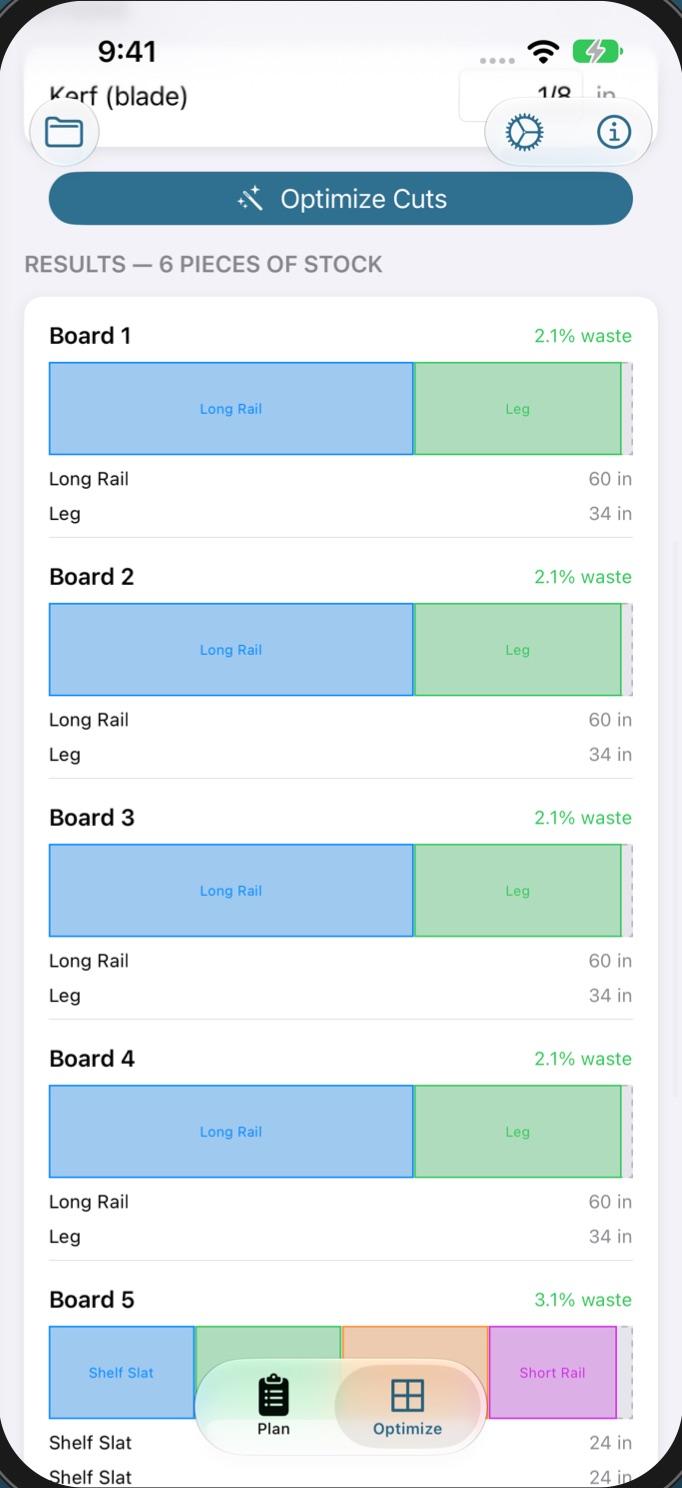
Boards too, not just sheets
Layouts for dimensional lumber
Every cut, planned.
- 01
List your parts
Name each part and give its length, width and quantity, in fractions like 3/4 or 1-1/2, or decimals.
- 02
Lay out sheets
2D layouts for plywood, MDF and other sheet goods, using the fewest sheets.
- 03
Lay out boards
1D layouts for dimensional lumber, each part cut from the full width.
- 04
Account for the blade
Set your kerf once and every layout takes it out. Let parts rotate, or lock them when grain direction matters.
- 05
Know what to buy
A diagram for each sheet or board, the total stock to buy and a waste percentage, so you can compare stock sizes.
Free to start.
Free
- One project with up to 8 parts
- Sheet and board layouts on screen, with kerf and rotation
Ripcut Pro
- Unlimited projects
- Unlimited parts in every project
- PDF cut lists to print or share
- Saved sheet and board sizes, picked in one tap
One-time purchase. No subscription, no account.
Shop Pass
Pro in all three. Pay once.
Buy Shop Pass in any of the apps and the others unlock too, on every device signed in to the same Apple Account. One-time purchase. No subscription, no account.